
What a New York County Court Docket Shows
A docket is the running log of events for a case. It records the case number, the parties, the judge or justice, the case type, every appearance, every motion, and every order. A New York County docket entry might read "Motion filed," "Order on motion," "Note of issue," "Adjourned to," or "Disposition." The docket is not the full file; the underlying papers live in NYSCEF, on a public terminal, or in the County Clerk records room at 60 Centre Street.
Manhattan trial courts run on different docket conventions. Supreme Court Civil cases use an index number per year. NYC Civil Court cases use a case type prefix, sequence, year, and court code such as CV-000044-06/NY. Criminal cases use a docket of the form CR-######-YYSU. Family Court uses a file or docket number with a letter prefix tied to the proceeding type.
How to Find New York County Dockets Online
The state eCourts gateway at iapps.courts.state.ny.us/webcivil/ecourtsMain links to every Manhattan docket portal. Each portal has its own quirks, so picking the right one before searching saves time.
- Open the eCourts gateway and pick the portal that matches the case type.
- For Supreme Civil, open WebCivil Supreme and limit the court to New York Supreme Court.
- For NYC Civil Court, small claims, or housing, open WebCivil Local and limit the court code to NY.
- For criminal calendars, open WebCriminal Calendar and pick New York Criminal Court, New York Criminal Court - Summons, or New York Supreme Criminal Court.
- For family matters, open WebFamily and select New York-Family or the appropriate IDV court.
- Filter by future appearances, justice, or part as needed, then choose HTML on-page output or a PDF download.
The official Criminal Calendar form, shown below, accepts a court, a date range, and either a court part or a judge name.
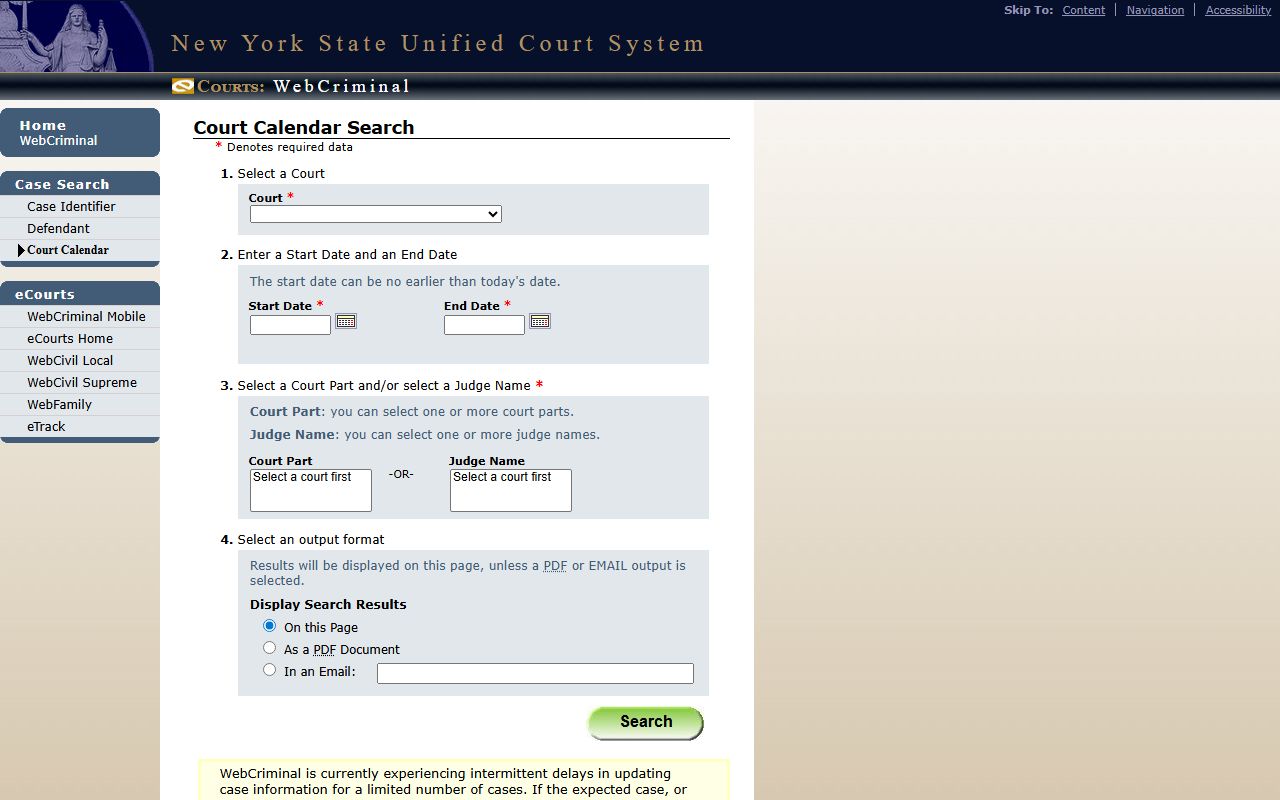
The form note states the start date can be no earlier than today's date, so historic dockets do not appear in a calendar search.
WebCriminal Calendar Search Fields
WebCriminal Calendar covers Manhattan criminal courts plus summons and supreme criminal terms. The form requires either a part or a judge name; one of the two must be set.
| Field | Type | Required | Notes |
|---|---|---|---|
| Court | Dropdown | Yes | New York Criminal Court, New York Criminal Court - Summons, or New York Supreme Criminal Court. |
| Start Date | Date | Yes | Cannot be earlier than today. |
| End Date | Date | Yes | Range cap appears once a court is selected. |
| Court Part | Multi-select | One of part or judge | Select a court first to populate the part list. |
| Judge Name | Multi-select | One of part or judge | One or more judges may be selected after picking the court. |
| Output | Radio | Optional | Display on page, PDF, or email a results link. |
Civil and Family Dockets in Manhattan
WebCivil Supreme calendars run by justice, part, attorney, or firm. The system returns active and disposed civil cases in all 62 counties, so users must always set the court to New York Supreme Court. WebCivil Local covers NYC Civil Court at 111 Centre Street, Housing Court, Small Claims, and connected local civil parts.
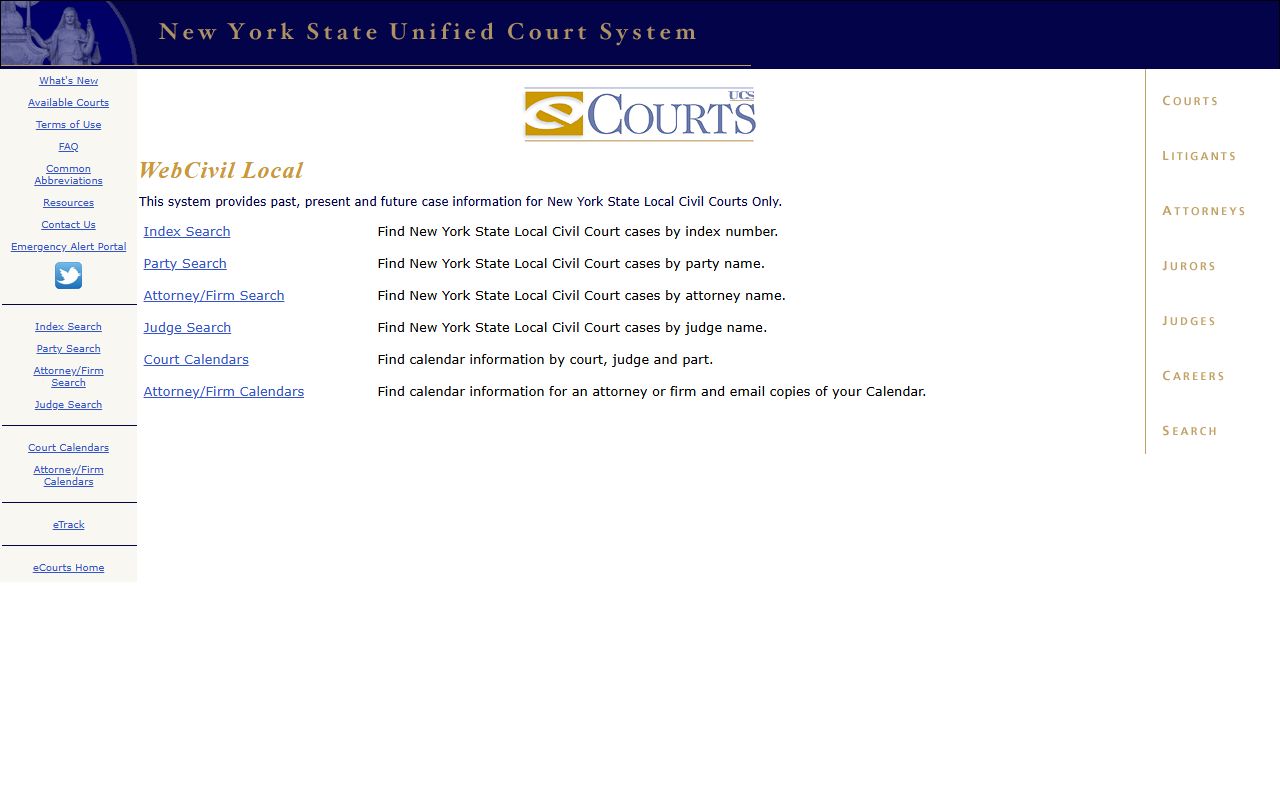
The WebCivil Local portal home, shown below, lays out the case-type prefix list and court code dropdowns Manhattan filers use most often.
WebFamily exposes file and docket searches for active Family Court and Integrated Domestic Violence cases with future appearances. Family Court Act § 166 still controls indiscriminate public inspection, so even WebFamily users see only the appearance information, not full pleadings.
Supreme Court Criminal Term Parts
The Manhattan Supreme Criminal Term operates 29 courtrooms across 100 Centre Street and 111 Centre Street with 37 distinct court parts. The part assignment determines where a case appears on the daily docket.
- 2 Trial Assignment Parts.
- 9 Conference and Trial Parts.
- 1 Youth Part for youthful offenders.
- 1 Narcotics or Felony Waiver Part.
- 1 Integrated Domestic Violence Part.
- 1 Grand Jury Part.
- 1 Gun Waiver Part.
- 17 Trial Parts, including Judicial Diversion, Mental Health, Veterans, and Alternatives to Detention.
A WebCriminal Calendar search by part is the fastest way to confirm where and when a given matter is on the docket. The Civic Center buildings can be confusing, so the clerk's information line at 646-386-4511 is the back-up route.
Reading a Manhattan Docket Entry
Each docket entry has a date, an action, and a result. Below is a quick reference for common entries a user will see in a Supreme Civil or NYC Civil case.
| Entry | What It Means |
|---|---|
| RJI | Request for Judicial Intervention; the case has been assigned a justice. |
| Note of Issue | Case placed on the trial calendar; readiness for trial certified. |
| Motion Seq | Numbered motion filed in the case. |
| OSC | Order to Show Cause; expedited motion signed by a judge. |
| Adjourned to | Next appearance date and part. |
| Disposition | Final result of a charge or claim. |
| Sealed | Record hidden from ordinary public access under statute or order. |
Note: WebCriminal warns of intermittent delays in updating case information for a limited number of cases; a missing entry may simply mean the data has not posted yet.
Docket Output and eTrack Alerts
Most New York County docket portals output an HTML result page, a PDF download, or, for WebCriminal Calendar, an email of the result link. eTrack is the free email subscription service for civil cases; it sends an alert when the docket changes or when a new appearance is scheduled. A user who follows a Manhattan civil case should sign up for eTrack rather than refreshing WebCivil by hand.
For documents, the docket is rarely enough. Most new Supreme Civil documents live in NYSCEF, the e-filing system, and require a free login. Older paper files require a 60 Centre Street terminal or a copy from the County Clerk Records Department at 646-386-5942. NYSCEF logins are free, and most pleadings, motions, and orders in a non-matrimonial Supreme Civil case can be pulled directly from the case page once a user signs in.
The output choice matters in practice. A PDF of a WebCriminal Calendar gives a stable record of the day's court schedule; an emailed link is the easiest way to share a search result with co-counsel or a witness. eTrack emails will continue until the case closes; a user should keep the case index number and any saved search links until disposition.
How New York County Court Parts Work
A "part" is the court's name for a courtroom team: a judge or justice, a court clerk, a court officer, and any attached staff. In Supreme Civil practice, a case is sent to a Trial Assignment Part for assignment, then to an Individual Assignment System part for the rest of its life. Most motions and conferences happen in that single justice's part. Trial may move to a separate trial part if the assigned justice is busy.
Supreme Criminal works differently. After arraignment in Criminal Court, an indictment routes a felony to the Criminal Term, where the case is calendared in a conference and trial part. Specialty parts split off Judicial Diversion, Mental Health, Veterans, and Alternatives to Detention matters. Each part has its own calendar day, so a docket alert by part is the only reliable way to track a calendar appearance without calling the clerk.
Searching New York County Dockets by Name
A name search is the fastest path when the index or docket number is missing. The state portals each enforce minimum-character rules. WebCriminal requires at least the first two letters of the first and last name on the form; the official NY Courts help page suggests three letters of the last name for stable results. WebCivil Local needs the party name plus a court code such as NY for New York County. WebCivil Supreme treats the name field as case-insensitive and looks up plaintiff, petitioner, defendant, respondent, or other party roles based on the selected radio button.
Common-name searches return long result lists, especially for parties with surnames like Smith, Garcia, or Chen. Adding the filing year, the role, and the court limit cuts the list quickly. For corporate parties, WebCivil and WebCriminal both ask for at least the first five characters of the corporation name.
Limits on New York County Docket Searches
Online dockets cover only a slice of court activity. WebCriminal does not show warrants, finished cases, or sealed cases. WebFamily shows only active cases with future appearances. Surrogate's matters use the separate WebSurrogate portal. Sealed civil records under Public Officers Law § 87 exemptions or DRL § 235 confidentiality rules will not appear in a public docket.
For a comprehensive search, run both WebCivil Supreme and WebCivil Local, then check WebCriminal and WebFamily separately. If a case appears nowhere online, the file may be old, sealed, or in a court not covered by the public portals.