
How to Search New York County Court Records
The eCourts gateway at iapps.courts.state.ny.us/webcivil/ecourtsMain links to every public case-information system for New York County. From there a user can pick WebCivil Supreme, WebCivil Local, WebCriminal, WebFamily, or eTrack. WebSurrogate sits on a separate site at websurrogates.nycourts.gov. Each portal serves a different case type, and a search in the wrong system will return nothing even if the file exists.
Before starting, gather the index or docket number, the party names, the approximate filing year, and the case type. The New York County Clerk gives index number examples such as 12345/1985 or 123456/2010. WebCriminal uses an NYC criminal docket format of CR-######-YYSU.
- Pick the right portal for the case type. Civil Supreme matters go to WebCivil Supreme; local civil cases go to WebCivil Local.
- Pick a search type. Index Number, Party Name, Attorney or Firm Name, or Justice/Judge search options appear on the same landing page.
- Limit the court to New York County. WebCivil Supreme returns every county by default; select "New York Supreme Court" to narrow to Manhattan.
- Enter the index or party name. A name search needs at least the first two characters of the first and last names on WebCriminal; the Courts help page suggests three letters of the last name.
- Set the year of filing if known. WebCivil Supreme filters from 1983 to 2026; older files require an in-person clerk request.
- Review the result list, open the case, and request a certified copy from the County Clerk Records Department if needed.
The screenshot below shows the official NYC Courts overview that lists all six trial courts that hold Manhattan case files.
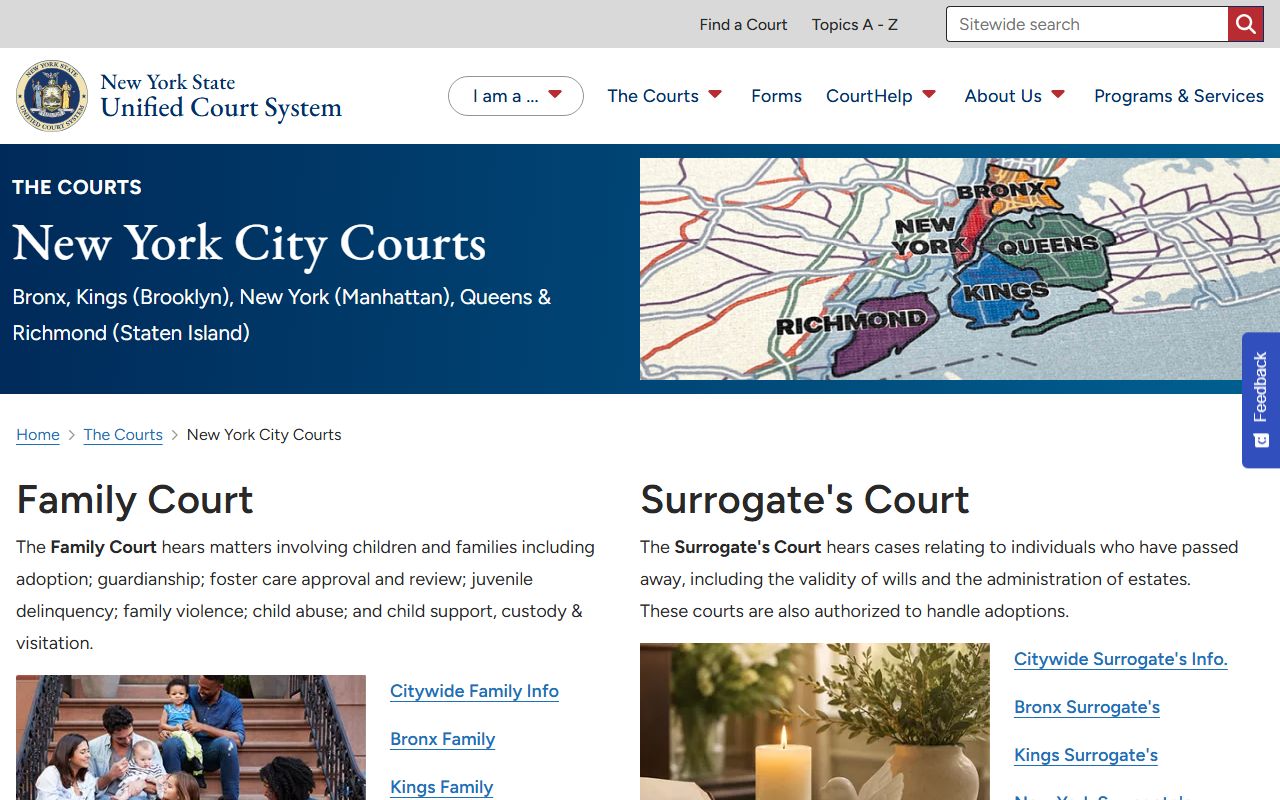
Each linked court page lists addresses, phone numbers, and clerk contacts, which the search portals do not show.
WebCivil Supreme Search Fields
WebCivil Supreme is the main portal for Manhattan civil cases. The eCourts gateway describes the system as a search for active and disposed Civil Supreme Court cases in all 62 New York counties. It supports four search modes: index number, party name, attorney or firm name, and justice. The official search form, shown below, lays out every field a user can fill.
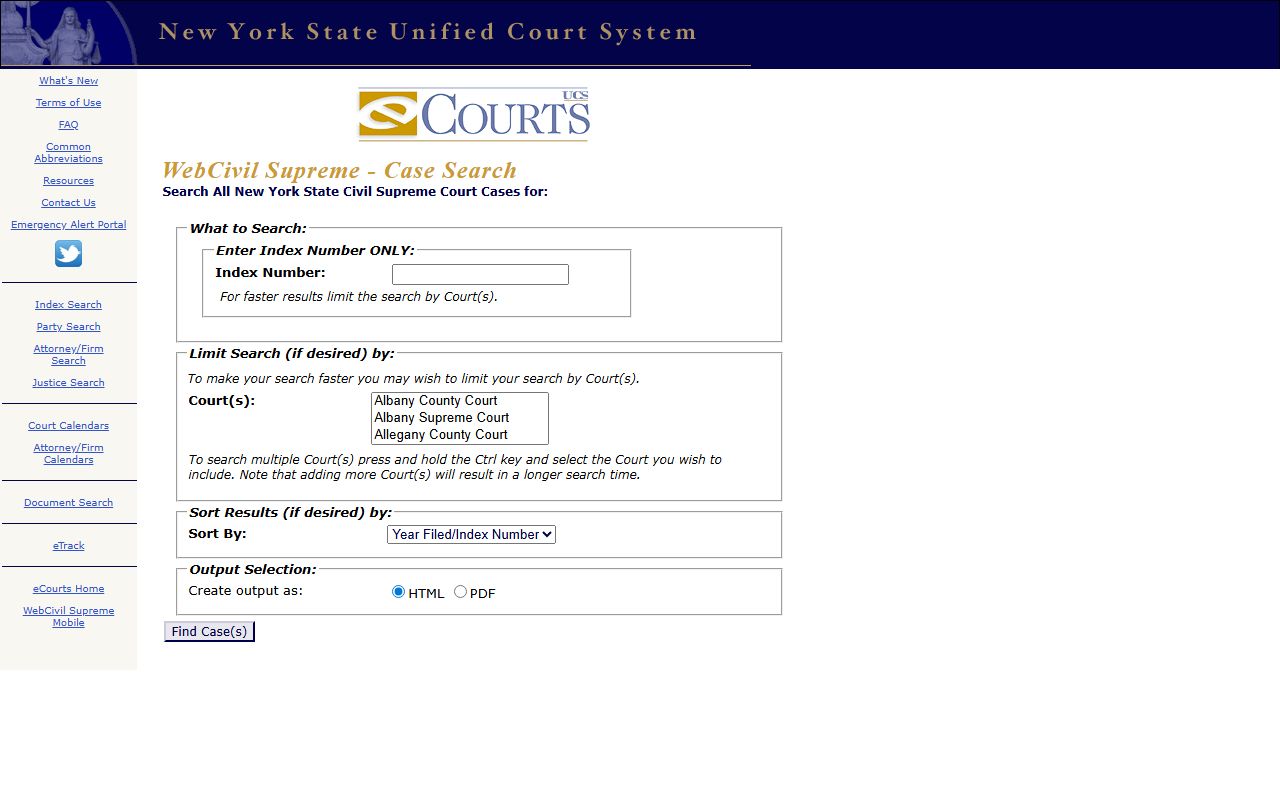
The form is the same for every county in the state, so always confirm the court selection reads "New York Supreme Court" before submitting.
| Field Label | Type | Required | Notes |
|---|---|---|---|
| Index Number | Text | Yes for index search | Enter index number only; example 12345/1985 or 123456/2010. |
| Name | Text | Yes for name search | Party name on the case caption. |
| Attorney Name | Text | Yes for attorney search | Attorney or firm name. |
| Justice Name | Text | Yes for justice search | Use full first and last name for faster results. |
| Role | Radio | Optional | Plaintiff/Petitioner, Defendant/Respondent, Other, or All. |
| Court(s) | Multi-select | Optional | Select "New York Supreme Court" for Manhattan civil cases. |
| Year of Filing | Dropdown | Optional | 2026 through 1983. |
| Case Status | Radio | Optional | Open (Active, Restored) or All. |
| Future Appearances | Radio | Optional | Yes returns only cases with a future court date. |
| Output | Radio | Optional | HTML on page or PDF download. |
Types of New York County Court Records
Manhattan court files cover a wide mix of subject matter. The court chosen for a case dictates which clerk holds the file and which portal indexes it.
Local civil case types in WebCivil Local include LT for landlord-tenant, SC for small claims, CV for civil, MI for miscellaneous, NC for name change, RE for replevin, CC for consumer credit, and TS for tax surcharges. Supreme Civil cases run by index number under a single sequence per year.
- Supreme Court civil records: tort, contract, Article 78, foreclosure, commercial division, and matrimonial dockets at 60 Centre Street.
- NYC Civil Court records: claims up to $50,000, small claims to $10,000, housing and landlord-tenant matters.
- Criminal Court and Supreme Criminal records: misdemeanors, felonies, arraignments, and summons cases.
- Family Court records: child support, custody, abuse and neglect, juvenile delinquency, family offense, adoption.
- Surrogate's Court records: wills, probate, administration, accounting, guardianship.
- Judgment and lien docket: held by the County Clerk for money judgments, mechanic's liens, and notices of pendency.
- Traffic and VTL records: non-criminal moving violations through the DMV Traffic Violations Bureau.
What a New York County Court Record Shows
A public case detail page returns a standard set of fields. Documents do not always appear; full filings often require NYSCEF, a public terminal, or a clerk-certified paper copy. WebCriminal is the most limited of the four portals because it only shows pending cases with future appearance dates.
| Field | What It Shows |
|---|---|
| Index or Docket Number | The unique identifier for the file. |
| Court | New York Supreme Court, NY County Civil Court, NY Criminal Court, etc. |
| Parties | Plaintiff or petitioner, defendant or respondent, corporation. |
| Filing Date and Year | When the case began; the search filter supports 1983 forward. |
| Case Type or Cause | Contract, tort, Article 78, foreclosure, felony, misdemeanor, violation. |
| Assigned Justice or Part | The judge and the calendar or trial part assignment. |
| Status | Open, active, restored, disposed, sealed, transferred, dismissed. |
| Docket Entries | Motions, orders, decisions, RJIs, notes of issue, judgments. |
| Future Appearance | Next court date for pending cases. |
| Document Access | NYSCEF link, terminal note, or clerk-copy instruction. |
Public Access Framework for New York County Court Records
Court records and agency records follow separate access regimes. The Freedom of Information Law applies to executive agencies under Public Officers Law § 87 and Public Officers Law § 89. FOIL handles agency files from NYPD, NYC DOC, the Department of Finance Sheriff, and similar bodies. Court case files follow court-specific rules, sealing statutes, and the Unified Court System's public access guide.
For Supreme Court records the public path runs through eCourts, NYSCEF, or a clerk request at 60 Centre Street, Room 103B. The County Clerk says the fastest path uses an index number. Without one, a party name and approximate filing year may still produce a result, but staff may need extra time to retrieve older files.
Note: FOIL covers agency records, not court case files. For a Supreme Court case file, start with WebCivil, NYSCEF, or the County Clerk Records Department.
Records That Are Sealed or Confidential in New York County
Many Manhattan court files are not open to the public. Domestic Relations Law § 235 blocks public inspection of matrimonial pleadings, agreements, judgments, and testimony. Family Court files sit under Family Court Act § 166. Adoption files are sealed under DRL § 114. Criminal records may be sealed under CPL § 160.50, CPL § 160.55, CPL § 160.57, CPL § 160.58, or CPL § 160.59.
To inspect a sealed file, a party usually files a motion in the court of conviction, serves the District Attorney, and asks the court to unseal for a specific reason. Non-parties seeking a restricted divorce record need an original notarized authorization letter from a party or attorney of record.
In-Person Court Record Requests at the New York County Clerk
The New York County Clerk Records Department is in the basement at 60 Centre Street, Room 103B. The staff retrieves Supreme Court files for inspection, copies, and certifications. Bring a state- or country-issued ID, the party names, the index number or approximate year, and a payment method other than a personal check. Phone the office at 646-386-5942 for older-file scheduling questions.
NY County Clerk Records Dept.
60 Centre Street, Room 103B
New York, NY 10007
646-386-5942
9:00 a.m. – 5:00 p.m.
NY County Clerk Certifications
60 Centre Street, Room 141B
New York, NY 10007
646-386-5935
9:00 a.m. – 5:00 p.m.
Older Manhattan Court Records by Storage Type
The County Clerk page sets out exact storage rules by year. A user asking for an old file should check the record's likely year first to avoid an extra trip.
| Year Range | Storage | Wait Time |
|---|---|---|
| 1910 to 1954 | Off-site storage | Ordered every Friday; 2-3 business days after order. |
| 1955 to 1984 | Microfiche | Onsite review at public terminals. |
| 1985 to 1997 (divorce) | Microfilm | Onsite review under DRL 235 access rules. |
| 2004, 2005, 2006, 2008, 2011, 2012, 2013 | Hard-copy onsite | Same-day retrieval where staffing permits. |
| 2007, 2009, 2010, part of 2014 | Mixed | May require clerk assistance. |
| 2015 to current | Public computer terminals | Same-day review onsite. |
Note: All files must remain in the office; Penal Law § 175.25 makes tampering with or removing public records a criminal offense.
NYSCEF and Document Access
WebCivil and WebCriminal show case information; they do not always show documents. The full document images for most new Supreme Court civil cases live in the New York State Courts Electronic Filing system, NYSCEF. The New York County protocol applies mandatory e-filing to most case types, with separate matrimonial e-filing rules at 22 NYCRR 202.16-c.
For older paper files and microfilm, the public must use a terminal or paper copy at 60 Centre Street. For matrimonial documents, even an NYSCEF login may show only docket entries; the underlying papers stay confidential under DRL 235 unless a party, attorney of record, or authorized agent is logged in. The Civil Term Public Access Library at 80 Centre Street, Room 468, provides procedural materials and rule books for self-represented litigants.